
Paralives build mode explained: Why early access players say it’s a game-changer for life sim builders
- By Zaeem Basir -
- May 25, 2026


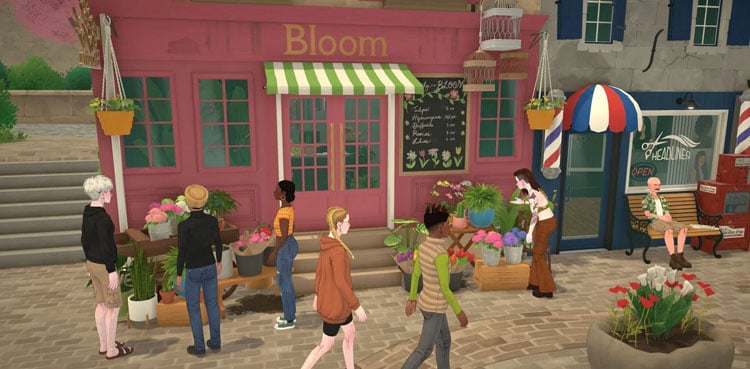
Paralives launched into early access on May 25, 2026, and its Build Mode is already getting major buzz. If you’ve been waiting for a life sim that finally gives you real creative control over building and decorating, this is it.
Getting Started in Build Mode
To start building, you can choose a lot in Melino, Paralives’ main town, or jump into a blank flat world designed purely for construction.
Melino offers everything from beachside plots and farms to canyon views and suburban neighborhoods, so you can match the location to your Parafolk’s vibe.
Once you’re on a lot, hit the house icon in the bottom left or press TAB to enter Build Mode. The interface is split into 5 main tabs: Structures, Rooms, Furniture, Terrain Tools, and Search. That search bar alone makes it easy to find items across 100+ categories without digging through menus.
What Makes It Different
Paralives ditches the grid-based system you’re used to in other life sims. Instead, you get:
Grid-free construction: Place walls at any angle, create curved walls, and build split-level floors without workarounds.
Free object placement: Move, rotate, and resize furniture and clutter anywhere. No snapping unless you want it.
Full customization: Resize furniture, change colors, textures, and materials on almost every item. Want a teal velvet couch that’s 1.5x wider? You can do it.
Platforms and layered interiors: Build multi-level spaces, add platforms for sunken living rooms, and layer clutter to make rooms feel lived-in.
Terrain tools: Sculpt land, flatten areas, paint ground textures, and blend everything seamlessly.
Builders who got early access call it “one of the most powerful life sim build systems” they’ve used without mods. The tools are designed to be “easy to use but powerful for advanced builders”.
GAMING- ALL NEWS AND UPDATES
Building Your First House
Pick your lot: Choose a location in Melino or a blank world. Beachside and canyon lots are popular for dramatic builds.
Lay the structure: Use the Structures tab for walls, windows, doors, stairs, and roofing. You can draw walls freehand and adjust height on the fly.
Add rooms and layouts: Use pre-made room templates to speed things up, or build from scratch for full control.
Decorate and clutter: The Furniture tab includes appliances, decor, and clutter objects sorted by room type. Scale them down for tiny details or blow them up for statement pieces.
Polish with terrain and lighting: Use Terrain Tools to shape the yard, add paths, and adjust elevation. Then switch to Photo Mode to test lighting and angles.
Creators testing early access have built everything from cozy cottages to modern apartments, praising how intuitive it feels even for beginners.
Paralives is available now on Steam for PC and Mac. Early access will run for about two years as the team adds more content, items, and simulation systems.